
Skip to:
Submit a death claim
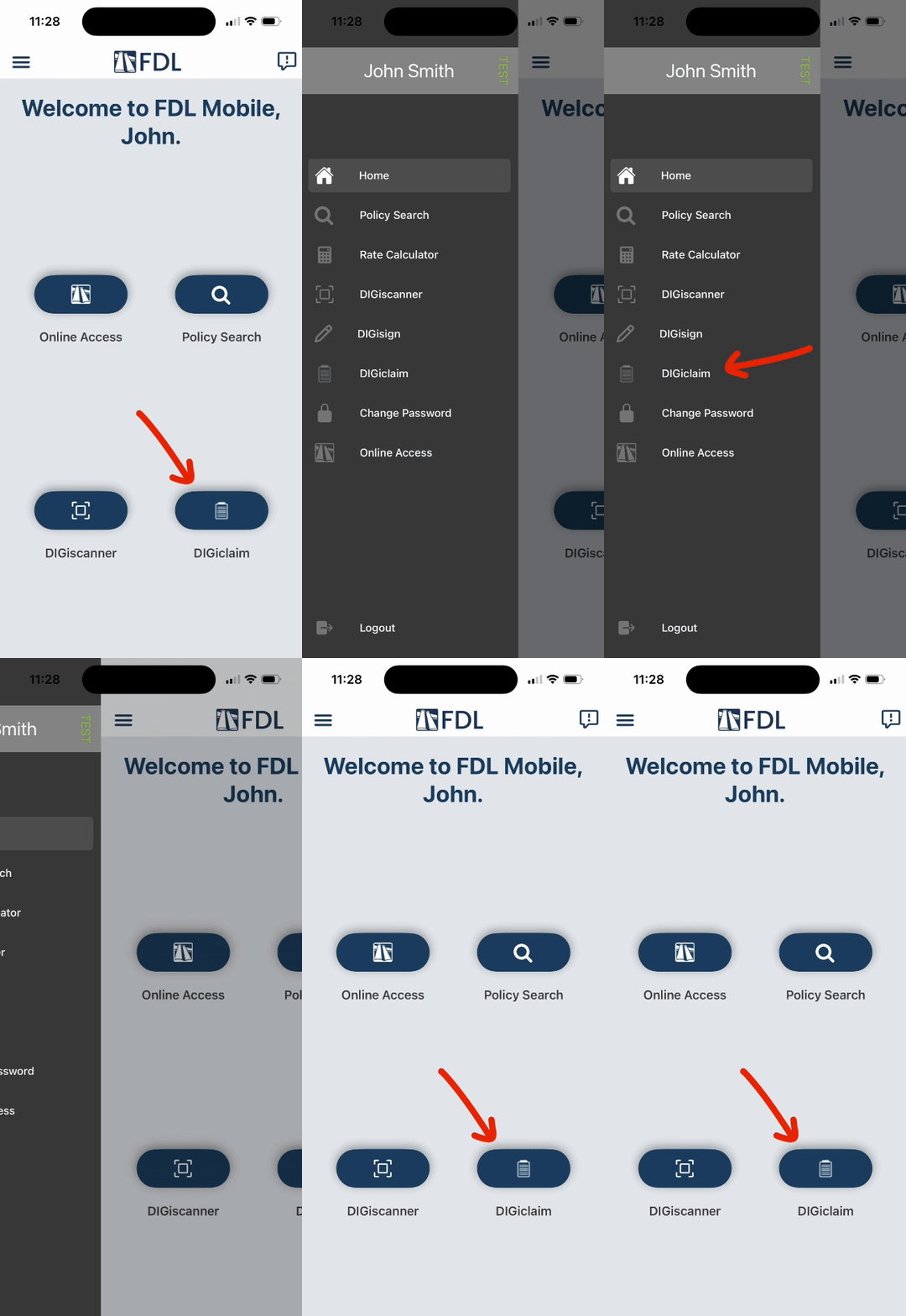
Open FDL Mobile on your mobile device.
Tap DIGiclaim from the home page, or find it under the menu icon [☰] in the top left.
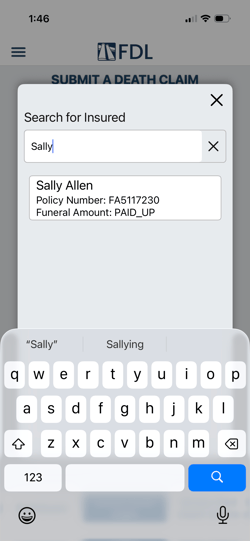
Start by typing your name in the Your Name field.
Begin typing the insured's name or policy number in the Search for Insured field, then select the insured or policy when it appears. You do not have to type the full name/number.
Only policies that are eligible for a death claim and tied to the logged‑in user will appear in the insured/policy dropdown.
Choose the funeral home from the Pay To Location drop-down.
Select the Date of Death.
Indicate if the death was accidental using the drop-down.
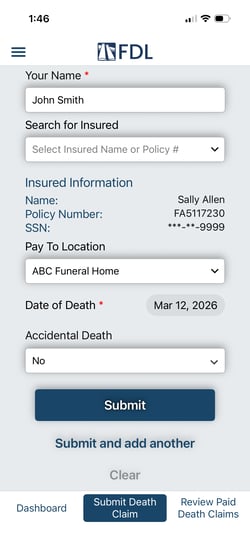
Tap Submit.
You'll know the claim was submitted when you recieve the following message:
“Success. Your death claim request for policy [Policy #] has been submitted. You will receive your death quote shortly.”
View claim status
From the DIGiclaim menu, tap Dashboard to see claim statuses.
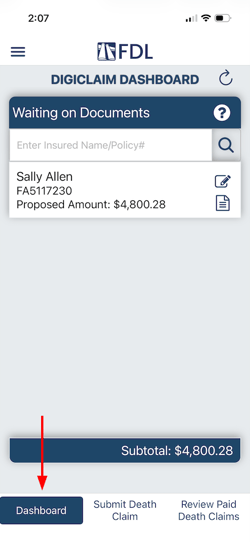
Here, you may see a few different claim statuses:
- Waiting on Signatures - FDL is waiting on a completed death claim signature form. Open this status to review, sign, and submit the required form.
- Waiting on Documents - FDL is missing one or more required documents. See which documents are needed and upload them directly.
- Waiting on Reconciliation - The claim is on hold until the reconciliation sheet is completed. Open this status to fill out, save, or finalize the reconciliation.
- Quote Request Sent - The claim could not be quoted automatically and has been sent to FDL for manual review. Attach any additional documents if requested.
- Pending Payments - All required items have been received, and the claim has been approved. The claim is almost complete and is in the final payout stage.
Tap the paper icon  to view/attach required documents.
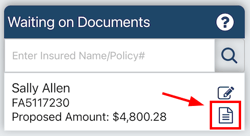
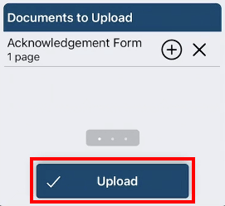
Here, you can see a list of existing documents you can review, and upload new documents from your device.
To upload a document, tap Add document and choose to either:
- Scan document
- Choose from photos
- Choose from files
Once the document is added, tap Upload.
Review paid death claims
From the DIGiclaim menu, tap Review Paid Death Claims.
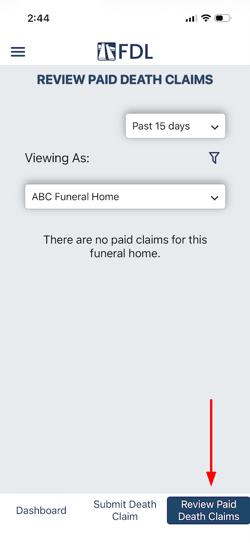
On this page, you can:
- View paid claims
- View documents on a paid claim
- Upload new claim documents
- View beneficiary information
If you have any questions or concerns, please contact the Help Center at (800) 692-5125 or email help@funeraldirectorslife.com.