
This feature is currently only available on Apple devices.
Start by opening a contract.
Click the menu icon  on the left side bar.
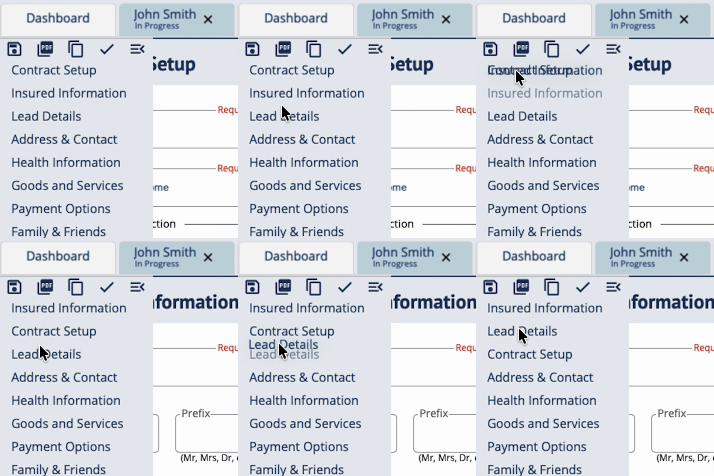
Drag-and-drop sections to arrange them how you like.
Click the menu collapse icon  to close the menu.
Click Save.
Any changes made to the order of sections in one contract will apply to all contracts and all devices you log in to.
If you have any questions or concerns, please contact the Help Center at (800) 692-5125 or email help@funeraldirectorslife.com.